
Netwarm vs Teamfluence: the Teamfluence alternative for experts who sell through their own posts
Teamfluence is a signal platform for sales teams, from €449 a month. Netwarm is for the expert whose own posts bring the clients: free to start, set up in 3 minutes.
The short answer
Teamfluence watches a whole team’s LinkedIn activity, your company page, competitors and keywords, qualifies the people with AI, enriches them with emails and phone numbers, and runs outbound workflows into your CRM, from €449 a month after a sales call. Netwarm is made for one expert and their own posts: everyone who engages, matched to your ideal clients, scored for warmth, with who is Hot right now.
Pick Teamfluence if you run a sales team doing outbound. Pick Netwarm if you sell through your own content and write your own messages. Netwarm is free to start.
Which Teamfluence alternative fits you?
Four questions about how you sell, one recommendation at the end.
Netwarm vs Teamfluence at a glance
| Teamfluence | Netwarm | |
|---|---|---|
| Main job | Turn a team's LinkedIn signals into qualified leads and automated outbound | Find the buyers among the people who engage with your own posts, see who's Hot, and know what to say |
| Who it's for | Sales leaders and GTM engineers at B2B companies | Coaches, consultants, founders and speakers who sell through their own posts, and the agencies that run them |
| Signals tracked | Your team's posts, likes, comments, profile visits and connections, your company page, competitors, influencers, keywords and ads | Everyone who likes, comments or reposts your posts |
| Qualification | AI checks each person against your ICP and scores them | Matched to your ideal clients by role, seniority, industry, company size and location |
| Warmth and Hot people | Signals scored and organized | A warmth score for each person from their last 90 days of engagement. Hot when someone keeps coming back |
| Enrichment | Work email for 9 in 10 leads, plus phone numbers | No: you reach out on LinkedIn, where they engaged |
| Outreach automation | Workflows into HubSpot, Slack, Clay; connection requests sent across team accounts | Never sends anything for you: you write every message yourself |
| Post scheduling | Not stated | Free and unlimited, forever: images, video and PDF carousels, through LinkedIn's official API |
| Works in Claude and ChatGPT | REST API | MCP server and API on every plan, the free one included |
| Getting started | No self-service sign-up: talk to sales | Sign up and scan in 3 minutes, on your own |
| Price | €449 a month, 1,000 qualified leads and unlimited seats (billed monthly) | Free, then Pro from €49 a month (1,000 engagements); 20% off yearly |
What Teamfluence does well
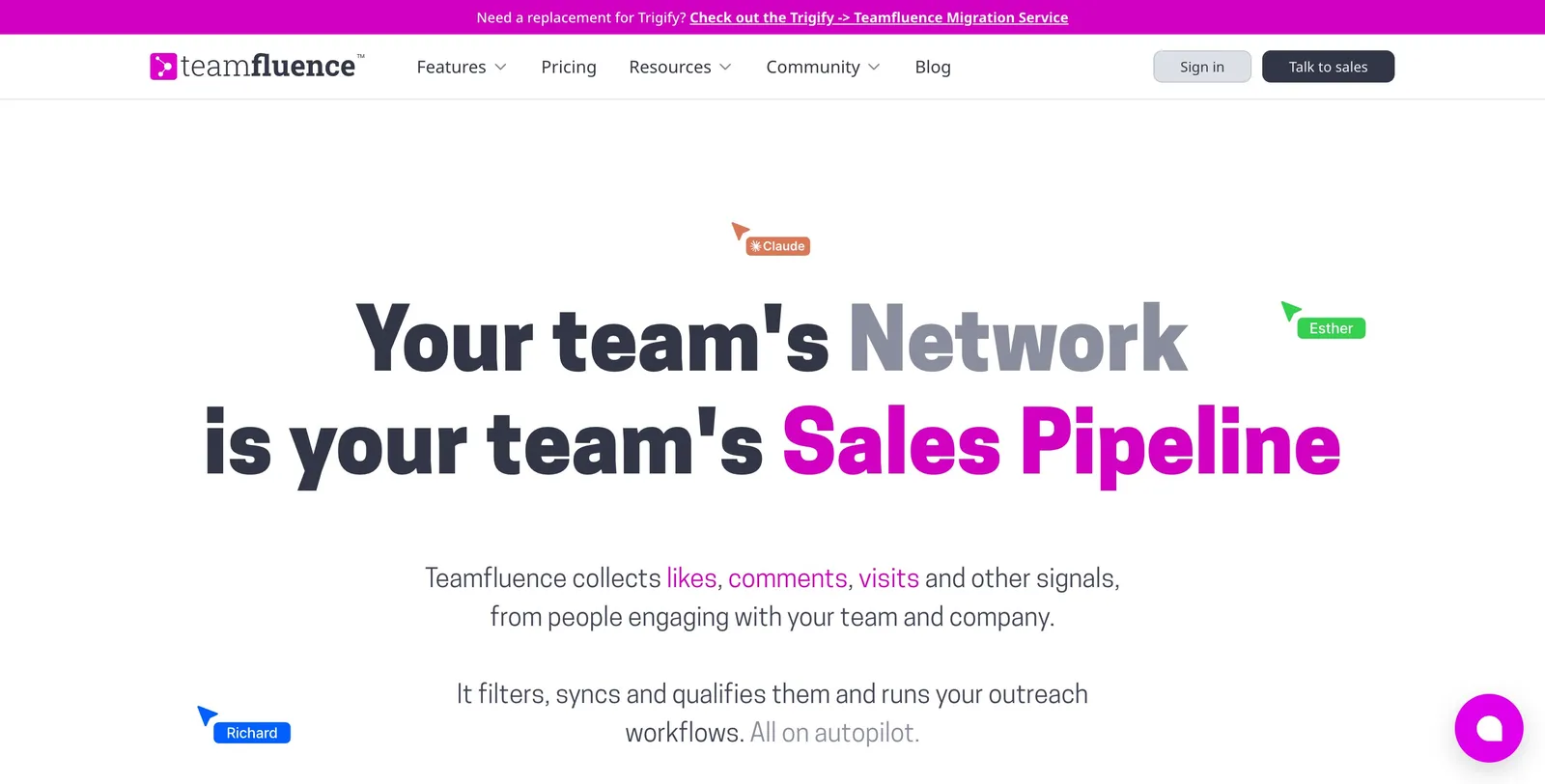
Teamfluence is built for B2B sales teams. It watches every teammate’s LinkedIn activity, your company page, competitors, influencers and keywords, qualifies the people with AI against your ICP, finds their work email and phone, and pushes them into HubSpot, Slack or Clay with “if this, then that” workflows. It can also send connection requests across your team’s accounts.
If you run a sales team doing outbound at volume, it’s a complete signal-to-pipeline platform.
What Netwarm does differently
Netwarm is built for a different person: the expert whose own posts bring the clients. No team setup, no CRM plumbing, no sales call. You see who engages with you, who fits, who is warming up, and you write to them yourself.
It tells you who is a buyer, not just who liked
You describe your ideal clients once (for example “founders of B2B companies with 10 to 200 people”). Netwarm matches everyone who engages against them by role, seniority, industry, company size and location, and sets aside the peers, students and other creators who react but rarely buy.
It shows who is warming up
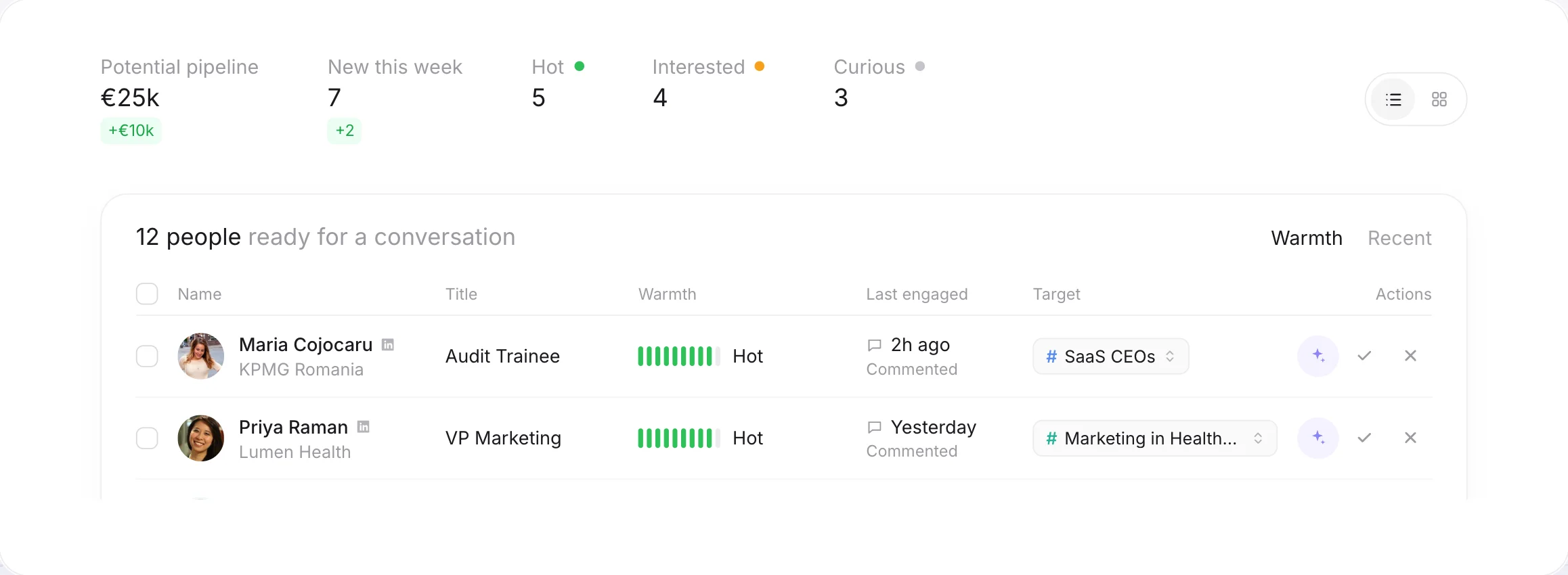
Each person gets a warmth score from their last 90 days of engagement: a like counts once, a comment or a repost more. When someone keeps coming back, they turn Hot, and you get an email with a first message suggested from what they engaged with.
It tells you which posts bring clients
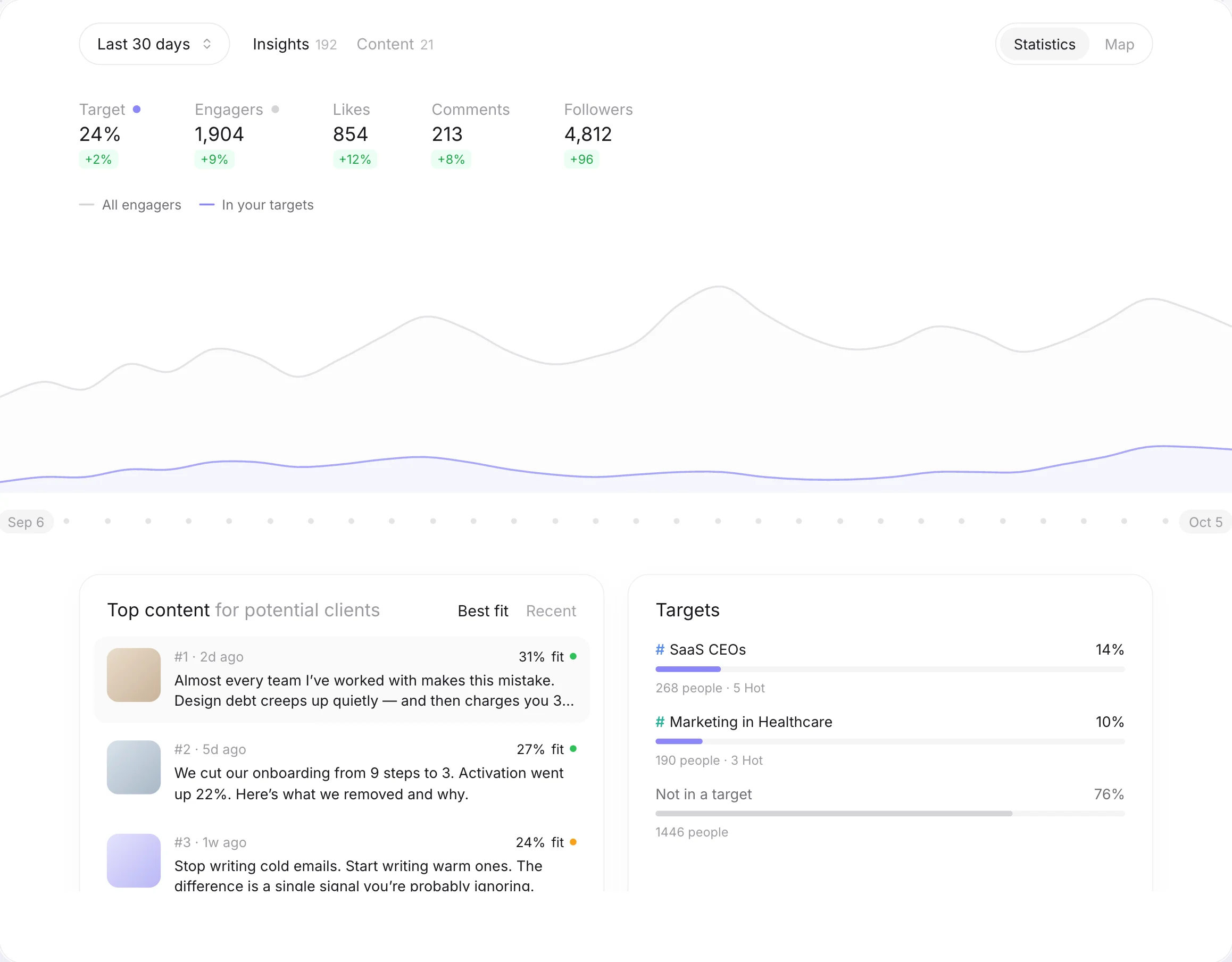
Reach and likes say which posts were popular. Netwarm ranks your posts and topics by the share of buyers they bring, so you can write more of what your clients respond to. See LinkedIn analytics for experts.
It never acts on LinkedIn for you
Netwarm doesn’t send messages, connection requests or comments. It doesn’t ask for your LinkedIn password or cookies: the audience scan only needs your profile URL, and scheduling goes through LinkedIn’s official sign-in. You stay in control of every conversation.
The scheduler is free
Scheduling your LinkedIn posts is free and unlimited on Netwarm, with images, video and PDF carousels. See the free LinkedIn post scheduler.
Pricing compared
- €449 a month, billed monthly
- 1,000 qualified leads and 20,000 credits
- Unlimited seats
- No self-service sign-up or free trial
- Free: unlimited scheduling, one audience scan, your five warmest people by name
- Pro from €49 a month for 1,000 engagements, with daily updates and Hot alerts
- Agency from €449 a month for several profiles
- 20% off on yearly plans
An engagement is one like, comment or repost on your posts. All the details are on the pricing page.
Which one should you choose?
- You run a B2B sales team doing outbound
- You want your whole team's LinkedIn activity tracked
- You need emails and phone numbers for every lead
- You want automated workflows into your CRM
- You sell through your own LinkedIn posts
- You write your own messages
- You want to start today, for free, without a sales call
- You want free post scheduling in the same tool
Agencies and ghostwriters who run several experts’ profiles can use Netwarm’s Agency plan, from €449 a month for all their clients.
Comparing other tools? Trigify, Shield, Taplio, MagicPost, AuthoredUp, Buffer, PhantomBuster, Supergrow and Kleo.
FAQ
For B2B sales teams running outbound, other team signal platforms are the closest match. For coaches, consultants, founders and speakers who sell through their own posts, Netwarm is built for the job: it reads everyone who engages with your posts, matches them to your ideal clients and tells you who is Hot. It's free to start.
Teamfluence costs €449 a month for 1,000 qualified leads and unlimited seats, after a sales call. Netwarm is free to start, then Pro from €49 a month for 1,000 engagements.
No. Netwarm tells you who among the people engaging with your posts could become a client, so you can reach out on LinkedIn, where they already know you.
No. Netwarm never sends anything on LinkedIn for you. It tells you who is warm and suggests a first message; you decide and send it yourself. That keeps your account safe and your messages personal.
No. The audience scan only needs your public profile URL. To schedule posts, you connect through LinkedIn's official sign-in, which only lets Netwarm publish what you schedule.