The LinkedIn analytics tool that shows you people, not numbers
See who engages with your posts, how many of them are your ideal clients, and which topics bring them in. Then post more of what works.
 Netwarm · PeopleNetwarm · Audience
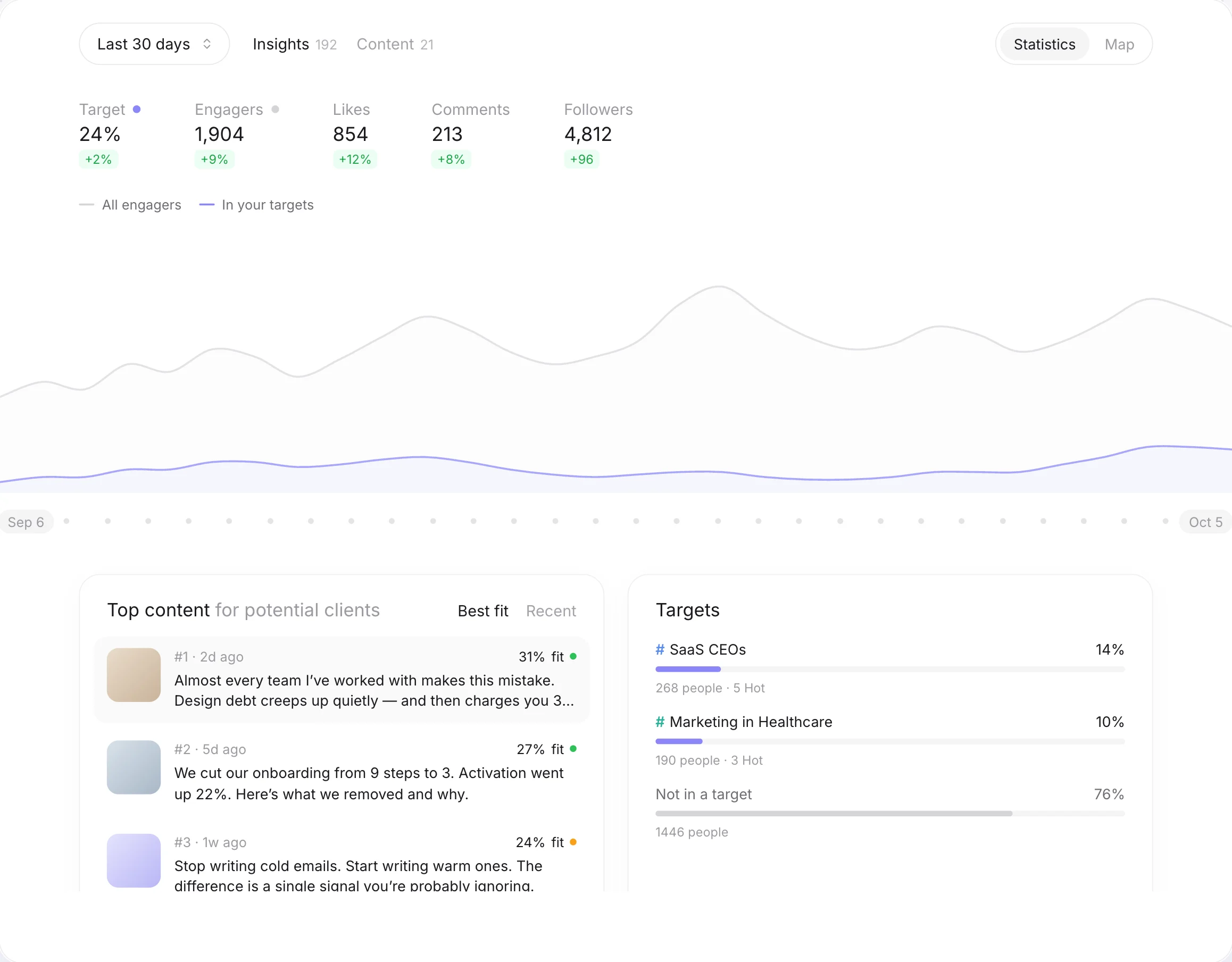
LinkedIn analytics tell you how much. Not who.
LinkedIn’s native analytics give you impressions and a like count. They won’t tell you whether those likes came from founders who could hire you or from peers who never will. So you can’t tell whether your content is reaching the right people, or just reaching people.
One number that matters: how much of your audience is your target
Describe your ideal client in one sentence. Netwarm matches everyone who engaged with your posts against it and shows you the share that fits.
LinkedIn analytics by job title, seniority, industry and company size
Targets
How many people match each of your ideal client profilesTop job titles
The roles that engage with you mostJob levels
Founders, executives, managers, individual contributorsIndustries and company sizes
The markets your content actually reachesMap
Where your audience and your targets are, country by countryBuild your LinkedIn content strategy on who engages, not how many
Your most-liked post isn’t always your best one. The Content tab ranks your topics and posts by how many people in your targets they bring.
Meet the people who keep coming back
Core audience shows the people who engaged with 3 or more of your posts. These are your most loyal readers, and often your warmest leads. Click any of them to see what they engaged with.
See what each post did, the day after
Schedule a post with Netwarm’s free scheduler. 24 hours later, you get its results: who engaged, how many were in your targets, who was new to you, and who became Hot.
From analytics to a LinkedIn marketing strategy
Not another vanity metrics dashboard
Start with a free scan
Paste your LinkedIn URL and Netwarm scans your recent posts. You’ll see your audience breakdown and your share of ideal clients. Upgrade to Pro to unlock the full content ranking, the map, daily updates and every name.
See pricingFrequently
asked questions
Quick answers about Audience insights, your LinkedIn account and your data.