
Netwarm vs Buffer: the free Buffer alternative for LinkedIn
Buffer is a great scheduler for every network. If LinkedIn is the one that matters, Netwarm schedules it for free, without limits, and shows who your posts reach.
The short answer
Buffer schedules your posts on many social networks, with a free plan of 3 channels and 10 scheduled posts per channel, and paid plans per channel. Netwarm is made for LinkedIn: scheduling is free and unlimited, and it shows everyone who engages with your posts, which of them match your ideal clients, and who is Hot.
Pick Buffer if you publish on several networks. Pick Netwarm if LinkedIn is where your clients are.
Which Buffer alternative fits you?
Four questions about how you publish today, one recommendation at the end.
Netwarm vs Buffer at a glance
| Buffer | Netwarm | |
|---|---|---|
| Main job | Plan and schedule posts on many social networks | Find the buyers among the people who engage with your LinkedIn posts, and schedule them for free |
| Networks | LinkedIn, Instagram, Facebook, X, TikTok and more | LinkedIn only |
| Free scheduling | 3 channels, 10 scheduled posts per channel, 1 user | Unlimited, forever |
| LinkedIn post types | Text, image, GIF, PDF, video, link preview and carousel | Text, images, video and PDF carousels |
| People who react to your posts | Reply to comments in Buffer; likers aren't listed | Everyone who likes, comments or reposts, kept for 90 days and matched to your ideal clients by role, seniority, industry, company size and location |
| Warmth and Hot people | Not offered | A warmth score for each person from their last 90 days of engagement. Hot when someone keeps coming back |
| LinkedIn analytics | Likes and comments for personal profiles; more for company pages | Your posts and topics ranked by the share of buyers they bring, not just likes |
| Works in Claude and ChatGPT | Yes, on every plan | MCP server and API on every plan, the free one included |
| Price | Free; Essentials $5 and Team $10 per channel a month (20% off yearly) | Free, then Pro from €49 a month (1,000 engagements); 20% off yearly |
What Buffer does well
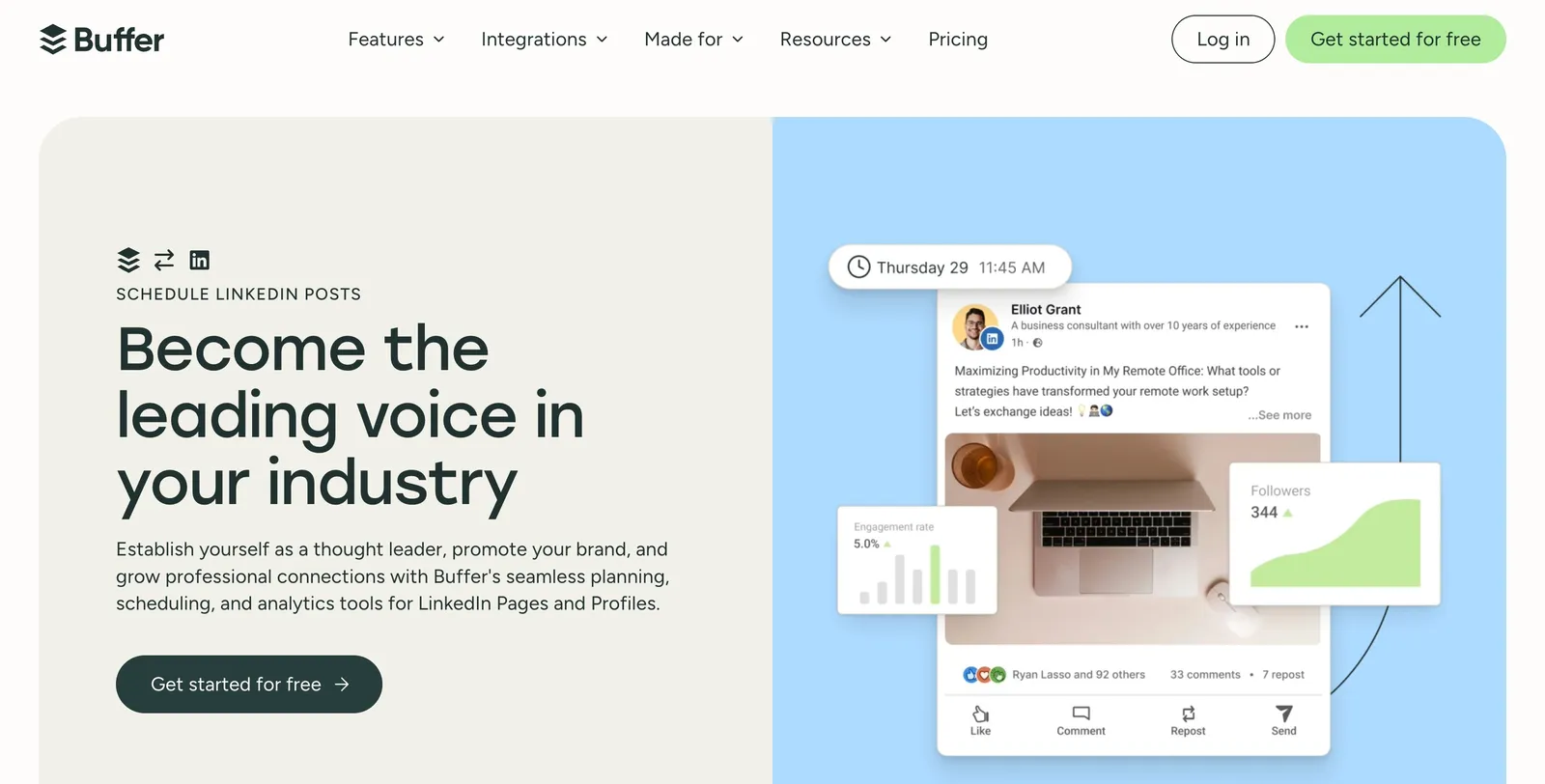
Buffer is one of the most popular social media schedulers. Its strength is covering every network from one place: a calendar, an ideas board, an AI assistant, replies to comments, and analytics, with simple per-channel pricing and a free plan to start.
If you post on Instagram, TikTok, X and LinkedIn alike, Buffer keeps it all in one queue.
What Netwarm does differently
Buffer is built to publish everywhere. Netwarm is built for LinkedIn, where coaches, consultants and founders find clients, and for what happens after you post: who engaged, and who among them could buy.
It tells you who is a buyer, not just who liked
You describe your ideal clients once (for example “founders of B2B companies with 10 to 200 people”). Netwarm matches everyone who engages against them by role, seniority, industry, company size and location, and sets aside the peers, students and other creators who react but rarely buy.
It shows who is warming up
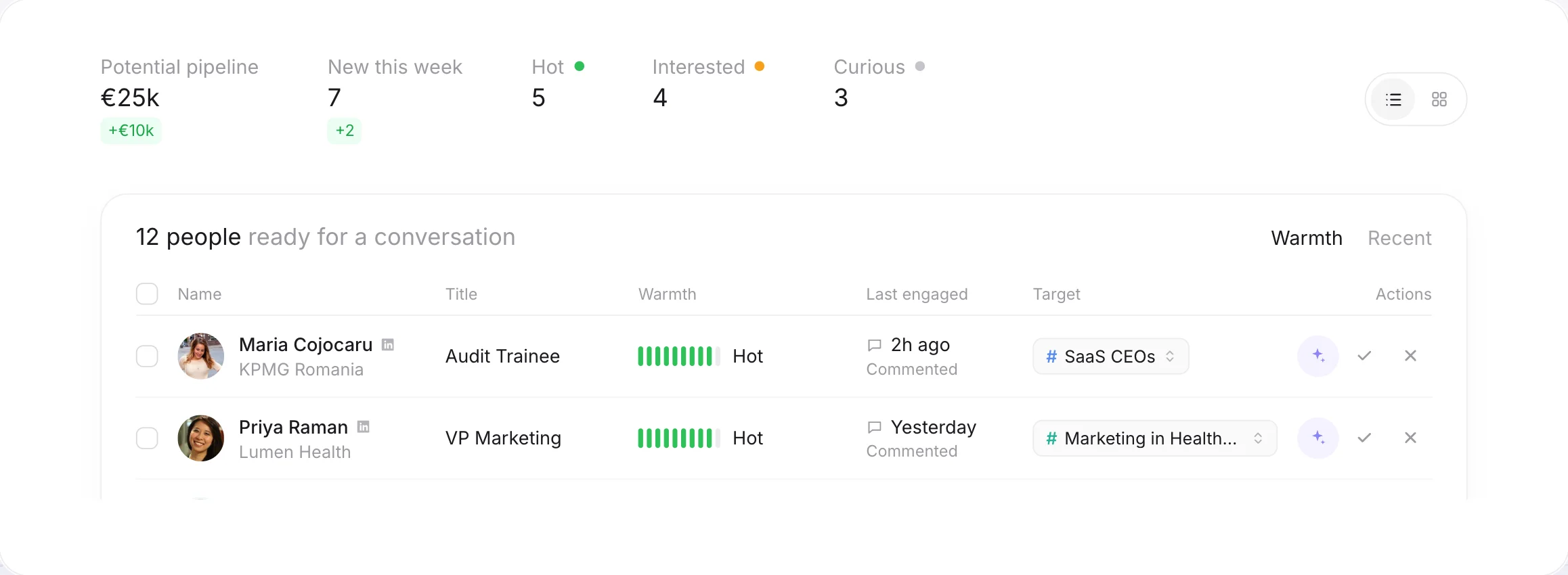
Each person gets a warmth score from their last 90 days of engagement: a like counts once, a comment or a repost more. When someone keeps coming back, they turn Hot, and you get an email with a first message suggested from what they engaged with.
It tells you which posts bring clients
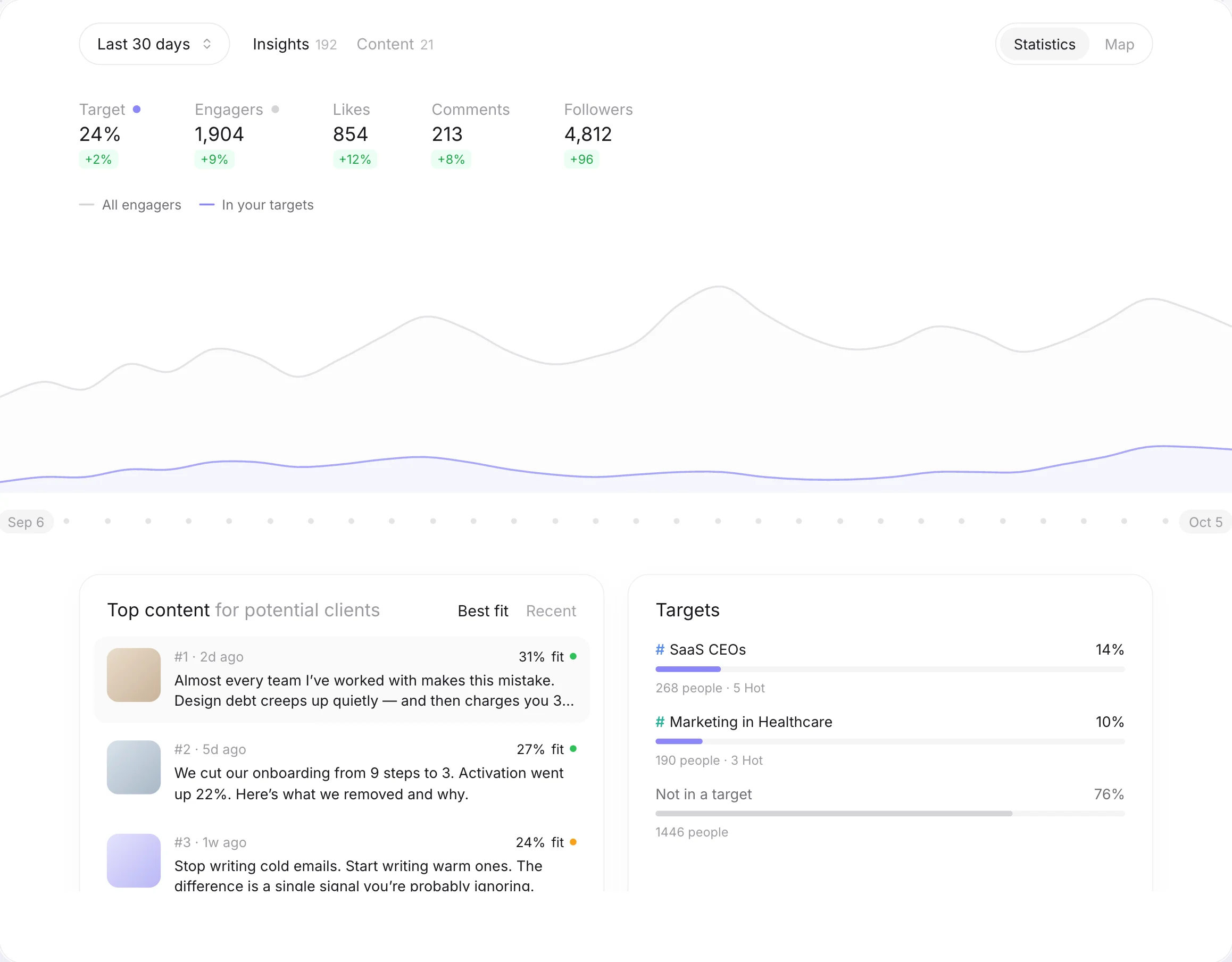
Reach and likes say which posts were popular. Netwarm ranks your posts and topics by the share of buyers they bring, so you can write more of what your clients respond to. See LinkedIn analytics for experts.
It never acts on LinkedIn for you
Netwarm doesn’t send messages, connection requests or comments. It doesn’t ask for your LinkedIn password or cookies: the audience scan only needs your profile URL, and scheduling goes through LinkedIn’s official sign-in. You stay in control of every conversation.
The scheduler is free
Scheduling your LinkedIn posts is free and unlimited on Netwarm, with images, video and PDF carousels. See the free LinkedIn post scheduler.
Pricing compared
- Free: 3 channels, 10 scheduled posts per channel
- Essentials $5 per channel a month ($60 a year)
- Team $10 per channel a month ($120 a year)
- 14-day trial of paid plans
- Free: unlimited scheduling, one audience scan, your five warmest people by name
- Pro from €49 a month for 1,000 engagements, with daily updates and Hot alerts
- Agency from €449 a month for several profiles
- 20% off on yearly plans
An engagement is one like, comment or repost on your posts. All the details are on the pricing page.
Which one should you choose?
- You publish on several social networks
- You want one calendar for all of them
- You manage a social media team with approvals
- You mostly need scheduling, not leads
- LinkedIn is the network where your clients are
- You want to schedule more than 10 posts ahead, for free
- You want to know who engages with your posts, by name
- You want to know who is Hot, and what to say to them
If you post on several networks, you can keep Buffer for the others and use Netwarm for LinkedIn.
Comparing other tools? Trigify, Shield, Taplio, MagicPost, AuthoredUp, Teamfluence, PhantomBuster, Supergrow and Kleo.
FAQ
Netwarm: scheduling LinkedIn posts is free and unlimited, with images, video and PDF carousels, through LinkedIn's official API. Buffer's free plan allows 3 channels and 10 scheduled posts per channel.
Yes, unlimited and forever. You only pay if you want to see everyone your posts reach every day, with Hot alerts and full insights.
Buffer lets you reply to comments and shows likes and comments for personal profiles as numbers. Netwarm shows every person who liked, commented or reposted, matched to your ideal clients.
No. Netwarm never sends anything on LinkedIn for you. It tells you who is warm and suggests a first message; you decide and send it yourself. That keeps your account safe and your messages personal.
No. The audience scan only needs your public profile URL. To schedule posts, you connect through LinkedIn's official sign-in, which only lets Netwarm publish what you schedule.